16 October 2026
Local SEO for Berhampur businesses: get found on Google Maps
How Berhampur and Ganjam businesses can show up on Google Maps and local search: Business Profile setup, categories, reviews, photos, website signals and what to avoid.

6 min read
To get a Berhampur business found on Google Maps, claim and verify your Google Business Profile, choose the most accurate category, keep your address, hours and phone correct, and collect genuine reviews steadily. Google says local ranking depends mainly on relevance, distance and prominence — and that there is no way to pay for a better organic local ranking.
When someone in Gandhinagar, Bada Bazar or Gopalpur searches "dental clinic near me" or "AC repair Berhampur", Google shows a map with a handful of businesses before any normal website result. Being in that small group is often worth more than any other marketing a local business can do. Here is how to get there without tricks.
How Google decides who shows up
Google's own help page, Tips to improve your local ranking on Google, names three main factors:
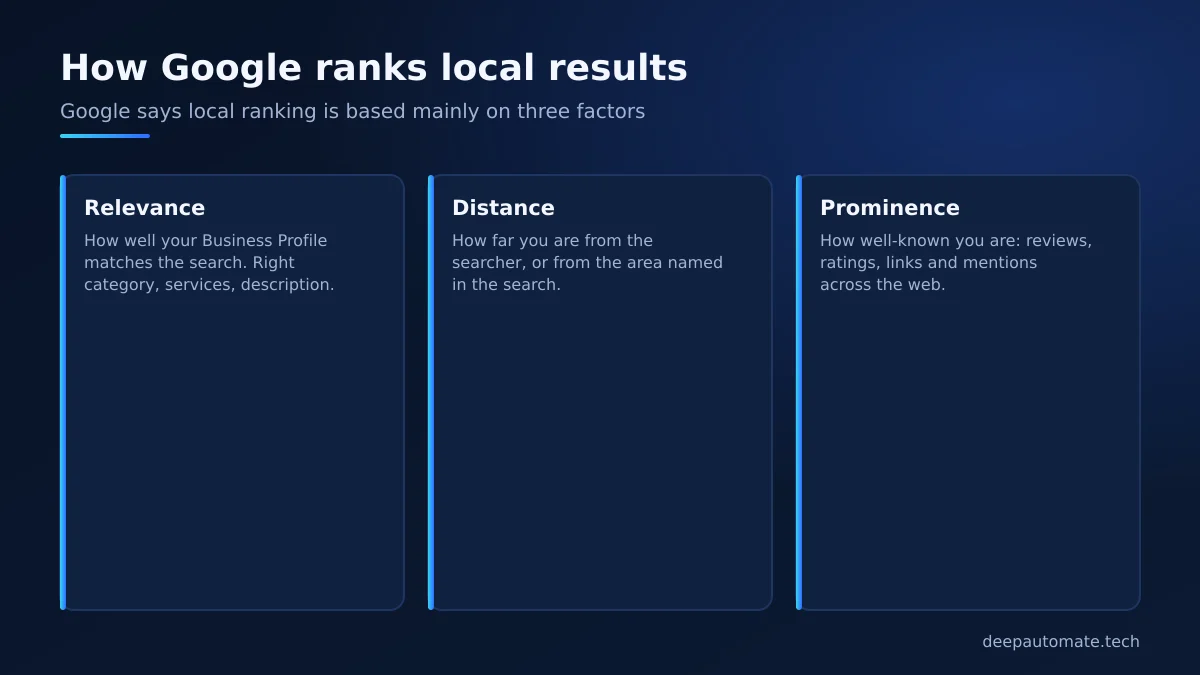
- Relevance — how well your Business Profile matches what someone searched.
- Distance — how far you are from the searcher, or from the location they named.
- Prominence — how well-known your business is, including links, articles, review count and score.
You cannot move your shop closer to every customer, so the work is on relevance and prominence.
Step 1: Claim and verify your Business Profile
Search for your business on Google Maps. If it already appears, claim it; if not, add it. Then:
- Business name — exactly as on your signboard. No extra keywords.
- Address and pin — drag the pin onto your actual door. Berhampur addresses can be confusing (lane numbers, landmarks like "near Kamapalli" or "opposite the temple"), so add a landmark in the address line where allowed.
- Service area — if you visit customers (plumbers, AC repair, pest control), set the areas you serve: Berhampur, Gopalpur, Chhatrapur, Aska and so on.
- Verification — follow Google's method offered to you. Until you are verified, many edits do not show.
Step 2: Choose the right categories
The primary category is one of the strongest relevance signals. "Dental clinic" is better than "Clinic"; "Sweet shop" is better than "Shop". Add secondary categories only if they are genuinely what you do.
Step 3: Fill in everything
Google says complete, accurate information helps you match more searches. Fill in:
- Opening hours, including special hours for Raja, Durga Puja and Diwali.
- Phone number that someone answers, and WhatsApp if available.
- Website link.
- Services or products, with short descriptions.
- Attributes like wheelchair access, parking, online payments.
- Description in plain language — what you do, where, and for whom.
Step 4: Photos that show the real place
Upload clear photos of your shopfront (so people can find you), inside, team at work and products. A customer from Brahmapur town looking for you in a crowded market lane will thank you for a clear shopfront photo. Add new photos regularly rather than fifty at once.
Step 5: Reviews — steady and genuine
Prominence includes your review count and rating. What works in Berhampur:
- Ask happy customers at the moment of satisfaction — after a successful treatment, delivery or repair.
- Make it easy: a QR code at the counter and a short link you can send on WhatsApp.
- Reply to every review, good or bad, politely and briefly. Google recommends responding to reviews.
- Never buy reviews or offer discounts in exchange for 5 stars. That risks your listing.
A WhatsApp bot can send a polite review request automatically after an order is delivered or an appointment is completed, so you do not depend on staff remembering.
Step 6: Your website supports your Maps listing
Your website and your Business Profile reinforce each other:
| Website element | Why it helps local search |
|---|---|
| Name, address, phone in the footer | Matches your profile exactly |
| One page per main service | Helps Google see relevance for each search |
| "Areas we serve" content | Supports searches from Gopalpur, Chhatrapur, Aska |
| Embedded map and directions | Helps visitors and confirms location |
| Fast loading on mobile | Visitors stay; ads and links convert better |
| Local business structured data | Gives search engines clean facts about you |
A standard business website with these basics starts from ₹20,000 (~$210) — see our pricing. If you are deciding on budget, read our guide on website development cost in Odisha.
Step 7: Mentions across the web
Prominence also comes from being mentioned elsewhere: local news coverage, your association or chamber of commerce listing, college or hospital partner pages, and reputable directories. Keep your name, address and phone identical everywhere — "Shop No. 4, Bada Bazar, Berhampur" should not appear as five different variations.
Searches in Odia, English and "Brahmapur"
People in Ganjam search in different ways. Some type in English ("best physiotherapist Berhampur"), some use the older spelling "Brahmapur", some speak to Google Assistant in Odia, and many simply type "near me". You do not need separate profiles for each — you need content that covers the natural ways customers describe what you do:
- Use the words your customers use in your services list and description, not internal jargon. A tailor in Bada Bazar should mention "blouse stitching" and "saree fall and pico" if that is what people ask for.
- If your website has an Odia version, link it from the English one and keep the business name, address and phone identical on both.
- Answer common questions on your website — timings, parking, whether home visits are available, which areas you serve. These answers also help AI-driven search tools describe your business accurately.
Questions from customers on WhatsApp are a gold mine here. Look at what people actually ask, then make sure your profile and website answer it. Our post on AI automation ideas for small businesses shows how to summarise those questions automatically.
What not to do
- Do not add keywords or city names to your business name.
- Do not create multiple profiles for the same location.
- Do not use a virtual office address where you do not actually meet customers.
- Do not copy competitor photos or descriptions.
- Do not believe anyone who "guarantees first position on Google Maps".
A simple monthly routine
- Add two or three new photos.
- Post one update or offer on your profile.
- Reply to every new review.
- Check hours before festivals and holidays.
- Review the profile's performance numbers and note which searches bring calls.
Want help with local search?
We are a Berhampur team — Shakti Nagar, Lochapada — so we know how people here search. If you want your website and Google Business Profile set up properly, message us on WhatsApp at +91 79788 39679 or use the contact page, Monday to Saturday, 10am–7pm IST.
Frequently asked questions
How do I get my Berhampur shop on Google Maps?
Create or claim a Google Business Profile for your shop, enter the exact address and pin location, choose the right category, and complete verification. Once verified, add hours, photos, services and your website link.
Can I pay Google to rank higher on Google Maps?
No. Google states there is no way to request or pay for a better local ranking. You can run Google Ads, which appear as labelled ads, but organic Maps ranking depends on relevance, distance and prominence.
How many reviews do I need to rank on Google Maps?
There is no fixed number. Google says review count and score are part of prominence. Focus on getting genuine reviews regularly from real customers and replying to them, rather than a target number.
Does my website help my Google Maps ranking?
Google lists information from across the web, including links to your site, as part of prominence. A fast website with your exact name, address and phone, and a page for each main service, also helps Google understand relevance.
Should I add keywords like "best" to my business name on Google?
No. Google's guidelines require your real-world business name. Adding extra keywords can get your profile suspended.